
Spatial rendering
Position the stereo image in front of you with HRTF processing. Adjust the virtual speaker placement and compare with the unprocessed signal.
HRTF · Speaker placementHEARFIELD / SPATIAL AUDIO FOR MACOS
PUBLIC BETA 0.1.2Move the sound beyond your headphones.
Spatial rendering, room simulation, and headphone correction—across your Mac.
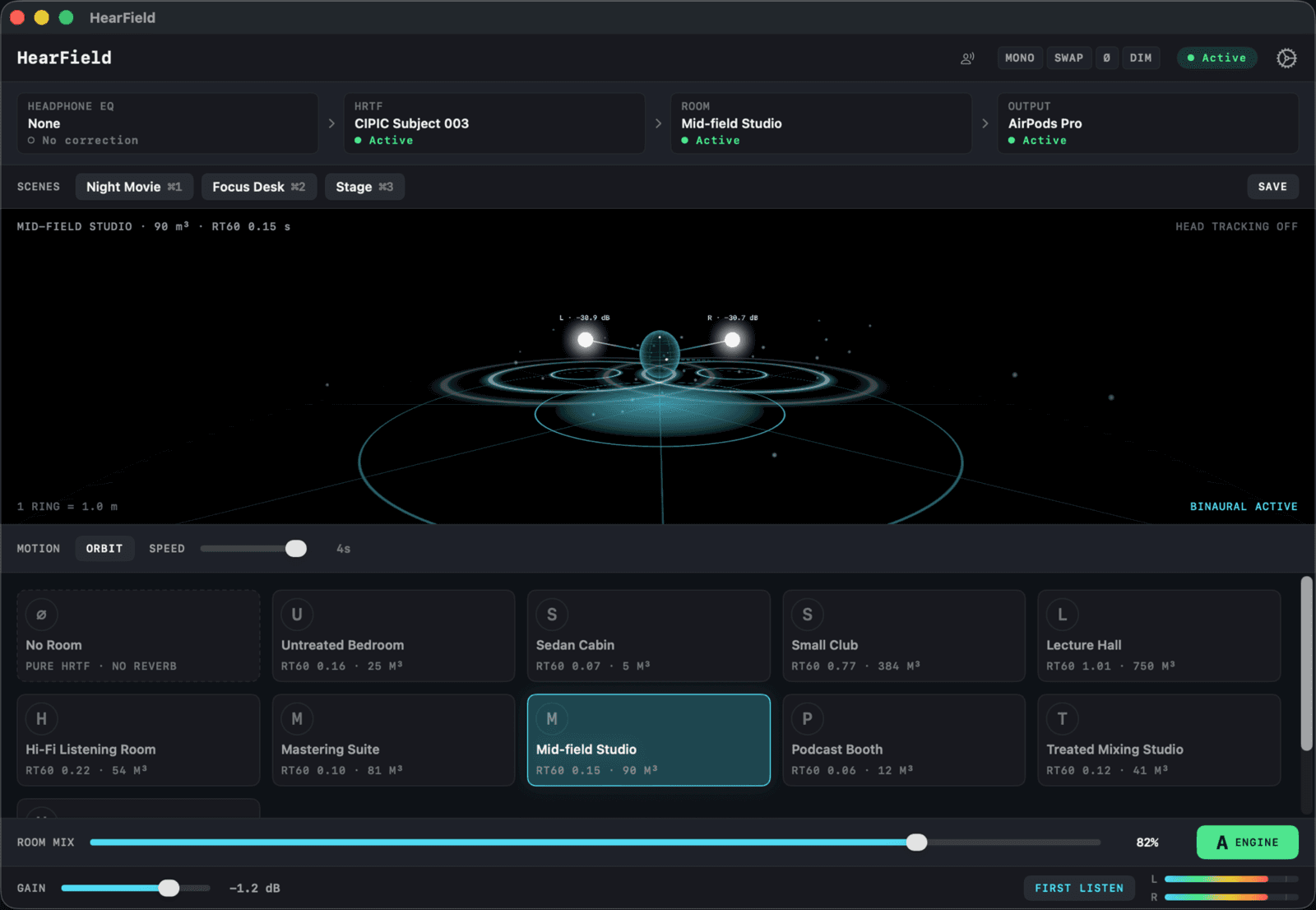
THE SIGNAL PATH
HearField sits between your apps and your audio output. Keep using your music player, browser, or video app. Control the sound in one place.
Select HearField as the system output, then choose your physical output in the app. Apps with a dedicated audio-device setting may need to be configured separately.
Position the stereo image in front of you with HRTF processing. Adjust the virtual speaker placement and compare with the unprocessed signal.
HRTF · Speaker placementSwitch between 10 acoustic environments and adjust the room mix. Choose pure HRTF when you want spatial rendering without added room sound.
10 rooms · Adjustable mixSelect a profile for your headphones to compensate for their frequency response. The included library contains 734 correction profiles.
734 profiles · Headphone EQUse crosstalk cancellation to reduce the opposite speaker’s signal reaching each ear. Results depend on speaker placement and your listening position.
Stereo speakers · Crosstalk cancellationWith compatible AirPods, the spatial scene can stay anchored as you turn your head. Head tracking is optional.
Compatible AirPods requiredSave a setup as a scene and recall it later. Use global bypass to compare with the original sound; quitting normally restores your system output.
Saved setups · Global bypassOpen the DMG, drag HearField into Applications, and launch it from there.
Follow the in-app guide. Approve the background service when macOS asks.
Route your system audio through HearField, select your headphones or speakers, and start at a low volume.
BEFORE YOU DOWNLOAD
The current beta requires an Apple silicon Mac running macOS 14 or later. An Intel build is not included.
HearField processes audio through a virtual audio device. Route your Mac through HearField and choose your headphones or speakers in the app. Apps with their own output selector may need to be set to the system default or HearField.
No. Headphone correction is optional, and you can use spatial rendering without a correction profile. Compatible AirPods are required only for head tracking.
Start at a low volume. Device compatibility is still being tested. Bluetooth adds delay, and switching rooms may briefly interrupt audio. This beta is not intended for latency-critical live monitoring.
Use global bypass to compare with the original sound. Quitting normally restores your system output. After a force quit, select your speakers or headphones in macOS Sound settings. Remove the driver from HearField Settings → Advanced.
HEARFIELD / FREE PUBLIC BETA
Try it with the music you know.
Compare with bypass. Tell us what you hear.

Version 0.1.2 · Free beta
Enter your email to download the beta and receive occasional HearField updates.
Beta access and occasional HearField updates. Unsubscribe anytime.